The short answer
Yes, some GTA 6 preloads are slow, but there is no worldwide outage. On 10 November UK provider YouFibre said GTA 6 downloads congested one part of its network around Yorkshire, then rebalanced traffic. For your own download: use a cable, pause other downloads, and free up to 212 GB.
Some GTA 6 preloads are slow, and one UK provider said so in public, but nobody has reported a wider outage or a problem with Rockstar's servers. On 10 November, YouFibre told customers that high demand for GTA 6 downloads was straining its network, then said it had fixed the load balance. Virgin Media O2 reported record traffic and no outage (Tech Times, as of 12 November).
If your own download is crawling, the cause is usually your line, your Wi-Fi or the queue on your console, and those you can change. Below: what YouFibre actually said, how long 212 GB should take, and the fixes in the order we would try them.
SourcesTech Times
01What happened with YouFibre and GTA 6?
YouFibre sent customers an email on 10 November about a 'network capacity issue' caused by 'the high demand of GTA 6 downloads', which lowered overall download speeds. Its chief executive, Jeremy Chelot, wrote on X that 'GTA6 is causing issue with one of our BNG', a broadband network gateway, the box that joins many homes to the wider internet. He said people around Yorkshire were seeing congestion and asked for patience (Tech Times).
YouFibre later said its engineers had carried out emergency traffic management to spread the load across the wider network. Service returned to normal, it said, although people still downloading GTA 6 could see slower speeds. The company did not say how many customers were affected, and no timetable was published.
- ConfirmedYouFibre had congestion on one gateway around Yorkshire, linked to GTA 6 downloadsStated by YouFibre's own email and its chief executive on 10 November, as quoted by Tech Times.
- ReportedVirgin Media O2 recorded its highest-ever peak traffic on 10 NovemberReported by Tech Times from the company. VMO2 gave no download totals and reported no outage or slower connections.
- RumourA nationwide ISP outage or a Rockstar server failureNo provider or Rockstar has said so, and the coverage we found shows no evidence of it.
- DisputedHow many YouFibre customers were affectedNot disclosed. Accounts of the scale differ, and we found no independent measurement.
SourcesTech Times
02How long should the GTA 6 preload take?
Rockstar says the game needs up to 212 GB. Our own arithmetic, assuming a steady line with no sharing: about 28 minutes at 1,000 Mbps, about 4 hours 40 minutes at 100 Mbps, and about 9 hours 20 minutes at 50 Mbps. Real speeds are lower, because the store's servers, your Wi-Fi and the evening rush all take a share.
- Install size
- Up to 212 GB
- Rockstar preload page
- Preload opened
- 10 Nov
- PS5 and Xbox
So a slow first hour is not a sign that something is broken. The preload opened at local midnight on 10 November for PS5 and at 00:00 GMT for Xbox, per Rockstar Support's updated notice, and you do not need to finish it today.
Release is at midnight local time on 19 November. For the exact moment in your country, see every unlock time.
03How do you speed up a slow GTA 6 download?
We could not open PlayStation's or Xbox's support pages today, and Rockstar has published no GTA 6-specific speed fix that we could find. These are standard console features, not Rockstar advice. Menu names can differ slightly between system updates.
Before launch: your checklist
- 1Plug in a cableWi-Fi is the most common bottleneck. An Ethernet cable from the router to a PS5 or Xbox Series X|S takes the signal out of the equation. If you cannot run a cable, move the console closer to the router or use the 5 GHz band.
- 2Pause everything elseOn PS5, open the download list and pause other downloads and updates. On Xbox, open Manage games and apps, then Queue, and put GTA 6 first. Other devices streaming in the house also take a share of your line.
- 3Use rest mode, not the screenBoth consoles can keep downloading while off. On PS5, check Settings, System, Power Saving, Features Available in Rest Mode, and keep 'Stay Connected to the Internet' on. On Xbox, use the Sleep power mode rather than shutting down fully.
- 4Restart once, then try laterRestart the console and router. If speeds are poor at 8pm, try after midnight. Evening peaks are when shared networks, like YouFibre's gateway, feel the load.
- 5Free the space firstMake room for up to 212 GB before you start, or the install can stall. Our [storage upgrade guide](/articles/gta-6-storage-upgrades-ps5-xbox) covers extra drives for both consoles.
04What if the preload will not finish before launch?
You can still start on 19 November, but you will wait for the download first. Pack the queue early: our preload guide lists the steps for both consoles and what each store says. If you are on a boxed copy, the code works the same way, and our code-in-box guide explains why.
Quick answers
Is the GTA 6 preload down?
We found no report of Rockstar's servers or the stores being down. Individual providers, such as YouFibre in Yorkshire on 10 November, had local congestion.
Why is my GTA 6 preload so slow?
Usually Wi-Fi, a busy evening network or other downloads in the queue. A cable and pausing other downloads fix most cases.
How big is the GTA 6 download?
Up to 212 GB, according to Rockstar. Leave extra room free for the install.
Can I preload GTA 6 and play early?
No. Rockstar Support says it releases at midnight local time on 19 November in all regions.
Keep going
Image credits (1)
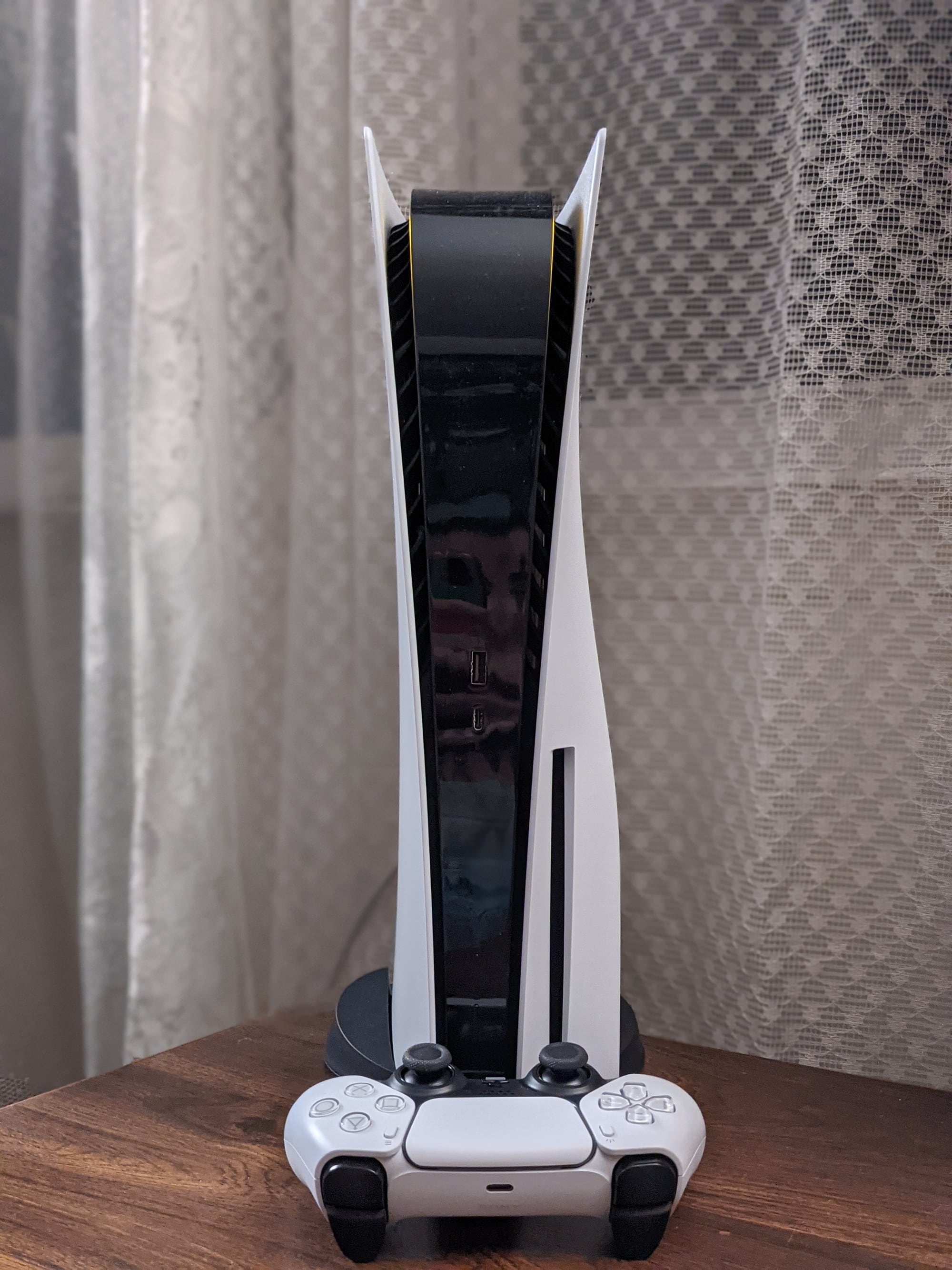
- A PlayStation 5 with its DualSense controller.: Osh33m, CC BY-SA 4.0, via Wikimedia Commons
Facts checked against the sources tracked on our hub. Confirmed, reported and rumoured claims are labelled.