Snapmatic, photo mode and selfies
GTA 6's photo mode is called Photo Studio: pause and press Square (X on Xbox). It is open from the prologue, even in cutscenes, with up to 5 lights and 17 filters. For selfies, use the phone camera (Up on the D-pad). Snapmatic is a feed you browse; you can't post your own photos.
Photo Studio
Open it
Pause, then press Square on PS5 or X on Xbox, or pick Photo Studio in the menu. It unlocks once you control Lucia in the prologue.
Lighting
Add up to 5 light sources and set the colour and brightness of each; it's the stand-out tool.
Camera and effects
8 aspect ratios, depth of field with aperture and focus, roll, grid, 17 filters, vignette, colour isolation, grain and bloom; you can also hide Jason or Lucia.
No time-of-day or weather change, and no posing or face changes; in cutscenes some options say Currently Unavailable.
Phone camera and selfies
Up on the D-pad for the phone, then Camera (third icon in the first row).
Rear camera
Up to 5x zoom, a 3x3 grid, flash and 17 filters.
Selfies
Switch to the front camera for up to 6 poses and 7 expressions, plus a pose for your partner.
Snapmatic
Scroll other people's posts, read comments and like them; you can't post photos, Photo Studio shots included.
Mark the place in a post on your map to get a waypoint there.
Related
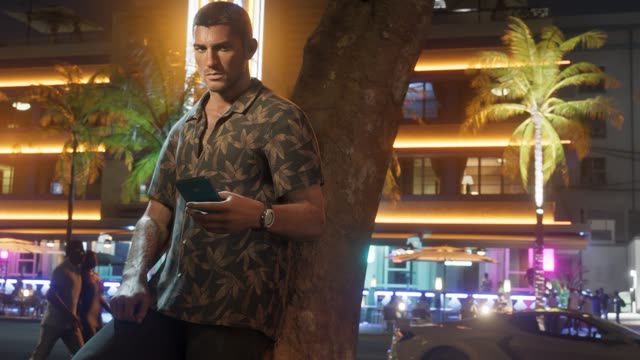 The phoneJason and Lucia's phone carries working social feeds and apps for scanning cars, booking rides and more.
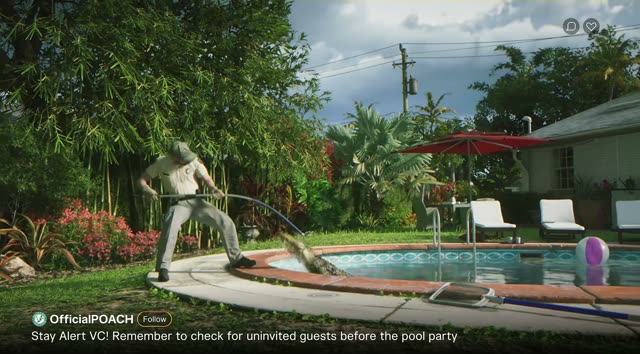 Social media in LeonidaLeonida runs on social media. The trailers are full of phone-shot viral clips, and stories in the game play out on feeds.
- WWAiNK appWAiNK is the phone camera app you use to scan cars and the world. Hold Up on the D-pad to open it, aim at a car and hold the button to see if it has no tracker, a standard tracker or an advanced one. Scanning 200 of the 277 base cars and 100 WAiNK locations counts for 100%.
More about Snapmatic, photo mode and selfies
Players ask
Does GTA 6 have a photo mode?
Yes. It's called Photo Studio: pause and press Square on PS5 or X on Xbox.
How do you take a selfie in GTA 6?
Open the phone with Up on the D-pad, choose Camera and switch to the front camera.
Can you post on Snapmatic in GTA 6?
No. Jason and Lucia can browse, like and mark places on the map, but not post.
The basics
How does snapmatic, photo mode and selfies work in GTA 6?
GTA 6's photo mode is called Photo Studio: pause and press Square (X on Xbox). It is open from the prologue, even in cutscenes, with up to 5 lights and 17 filters.
Related
What else is connected to Snapmatic, photo mode and selfies in GTA 6?
The phone, Social media in Leonida and WAINK app. Each has its own page on this wiki.