Best settings
The settings worth changing in GTA 6 on PS5 and Xbox: aim assist and shooting assist for easier aiming, motion blur and camera shake off if the game makes you feel sick, and a higher camera for a wider view.
Aiming
Aim assist strength (Gameplay)
Raise it if your aim doesn't stick; GameWith suggests 4.
Shooting assist and drive-by assist (Gameplay)
Turn both on. There's no general auto-aim: the assist corrects your aim rather than locking on, and it's weak at long range and while driving.
Button mashing assist (Gameplay)
Set it to hold so you don't have to tap repeatedly.
Accessible combat and reduced vehicle damage (Gameplay)
Handy if you're new, but they make the game easier and change its balance.
Motion sickness
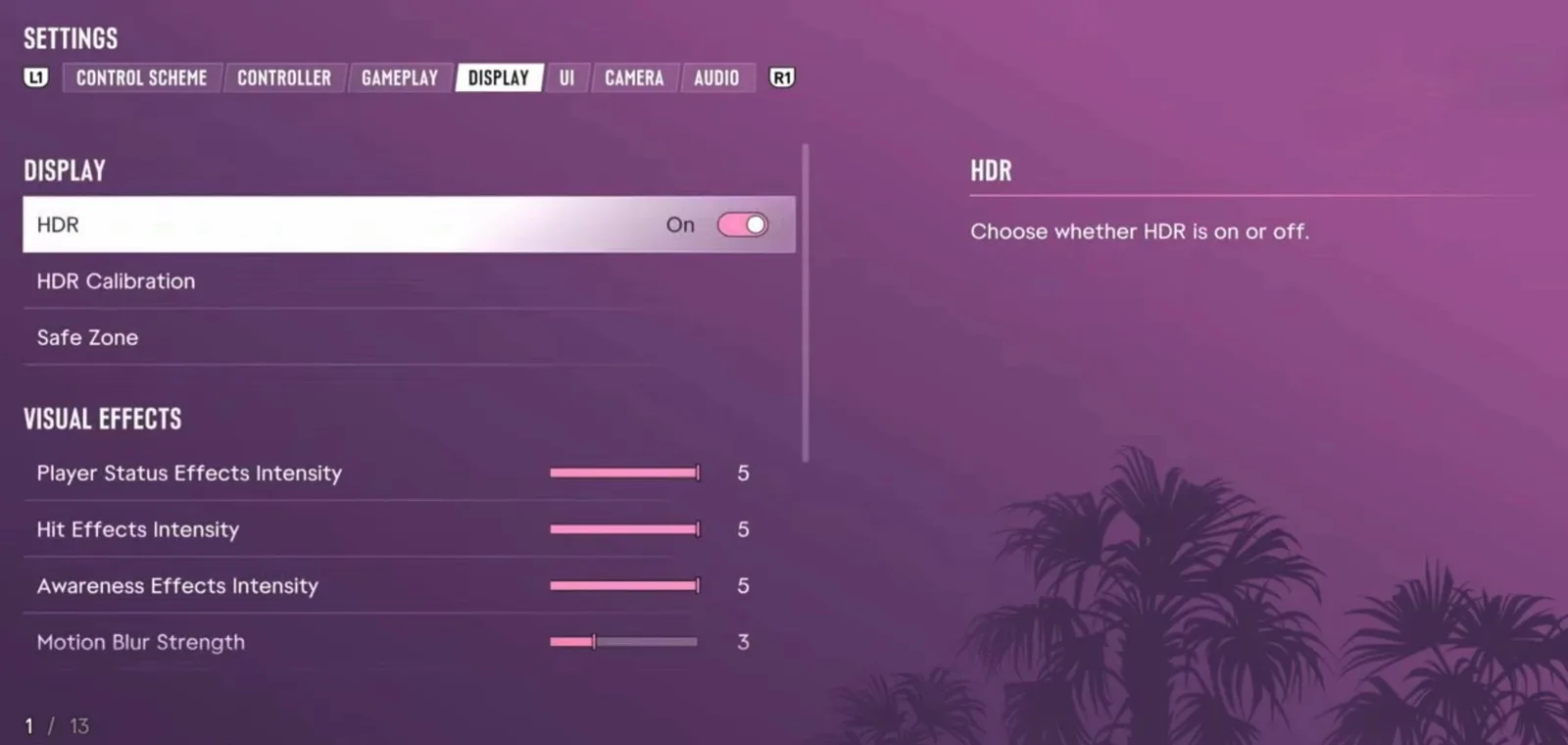
Motion Blur Strength (Display)
The default is 3. Set it to 0 if you feel sick; 1 to 3 otherwise.
Camera shake, camera vibration and weapon sway (Camera)
Turn them all off, and set camera shake to 0.
Aim and camera sensitivity (Controller)
Lower them a little so the view turns more slowly.
Getting around
Taking a RydeMe ride instead of driving also helps.
Camera and display
Camera height on foot and in vehicles (Camera)
Set both to high: you see more around you, which helps when escaping the police.
HDR (Display)
Turn it on if your TV supports it, then run HDR Calibration in the same tab.
Player status, hit and awareness effects (Display)
All default to 5; lower them if the screen effects get in the way.
Controller
Aim response curve
Linear gives the most predictable aim.
Vibration, haptics and adaptive triggers
Personal taste: set them to 0 or off if you don't like the feel.
Official images · 2
Images: Consolyte, PS5 Pro
Related
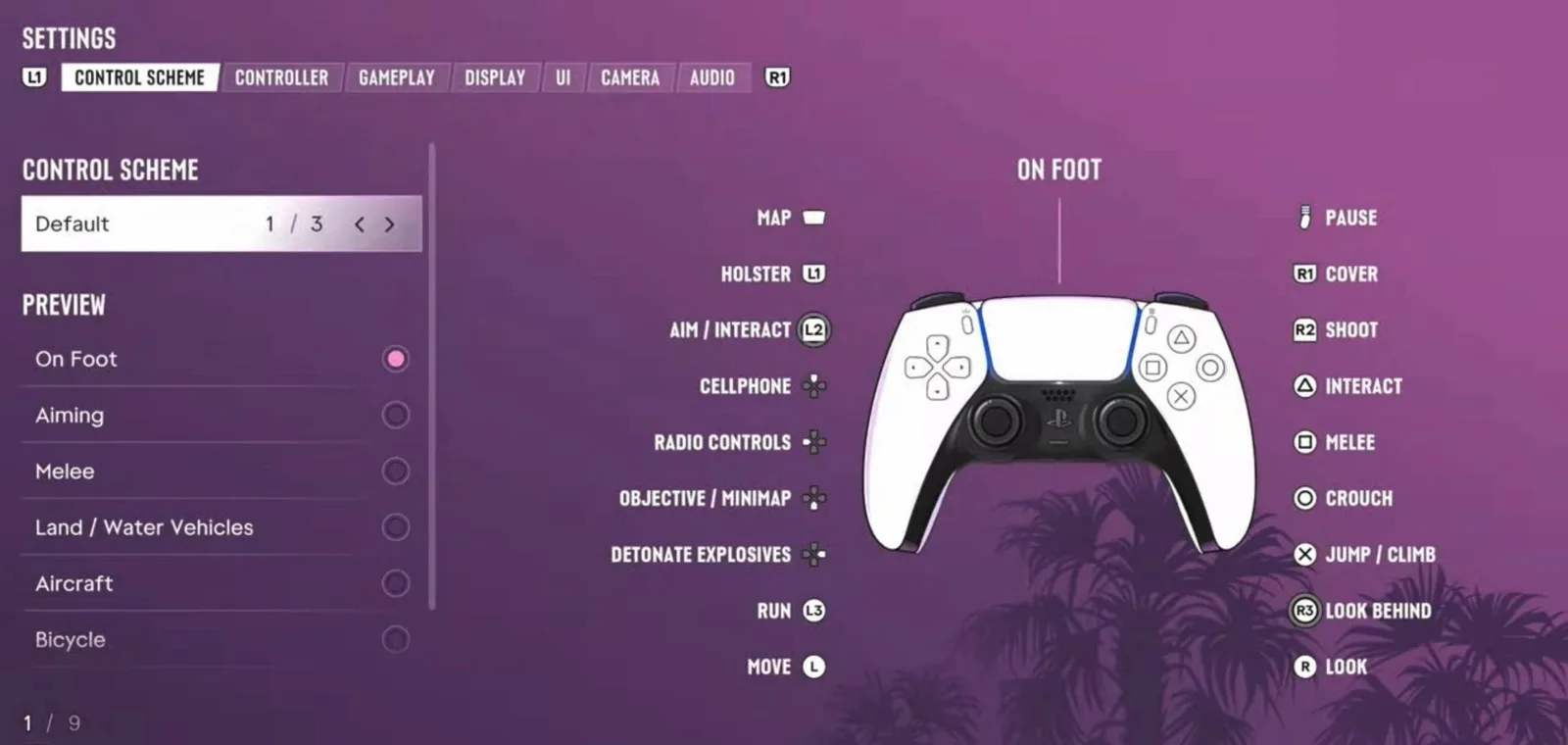
- CControlsOn PS5, GTA 6 uses R2 to shoot, L2 to aim, R1 for cover, ✕ to jump and climb, □ for melee, ○ to crouch and △ to interact. Click L3 to run, R3 to look behind, and press the touchpad for the map. The game offers three control schemes under Settings, Control Scheme.
- EEarly-game tipsThe tips that matter most in your first hours of GTA 6: save after the Prologue because missions can't be replayed, start saving for the $15,000 Vice City gate, unlock Kenton's treasure dives early, carry a bandanna for crimes, and steal older cars first.
More about Best settings
Players ask
Does GTA 6 have auto-aim?
Not in the usual sense. Aim assist and shooting assist correct your aim rather than locking on, and they barely help at long range or while driving.
How do I stop motion sickness in GTA 6?
Set Motion Blur Strength to 0, turn off camera shake, camera vibration and weapon sway, lower camera sensitivity and raise the camera height.
The basics
What is the GTA 6 best settings guide?
The settings worth changing in GTA 6 on PS5 and Xbox: aim assist and shooting assist for easier aiming, motion blur and camera shake off if the game makes you feel sick, and a higher camera for a wider view.
Related
What else is connected to Best settings in GTA 6?
Controls. Each has its own page on this wiki.