Controls
On PS5, GTA 6 uses R2 to shoot, L2 to aim, R1 for cover, ✕ to jump and climb, □ for melee, ○ to crouch and △ to interact. Click L3 to run, R3 to look behind, and press the touchpad for the map. The game offers three control schemes under Settings, Control Scheme.
Default controls on foot (PS5)
This is the Default scheme, the first of three, as the game's own settings screen shows it. Shooters will feel at home: aim on L2, shoot on R2, cover on R1. Note that crouch is on ○ and melee on □.
L1
Holster your weapon
L2
Aim / interact
R1
Take cover
R2
Shoot
△
Interact
□
Melee
○
Crouch
✕
Jump / climb
L3
Run (click the left stick)
R3
Look behind
L
Move (left stick)
R
Look (right stick)
Touchpad
Open the map
Options
Pause
D-pad
Phone, radio, objective and minimap, detonate explosives
Where to change them
Open Settings and you get seven tabs: Control Scheme, Controller, Gameplay, Display, UI, Camera and Audio. Control Scheme lets you switch between three layouts and preview each one for on foot, aiming, melee, land and water vehicles, aircraft and bicycles. The Display tab has the HDR switch plus sliders for status-effect, screen-effect and motion-blur strength, which is worth turning down if the 30fps feels smeary to you.
Every control layout
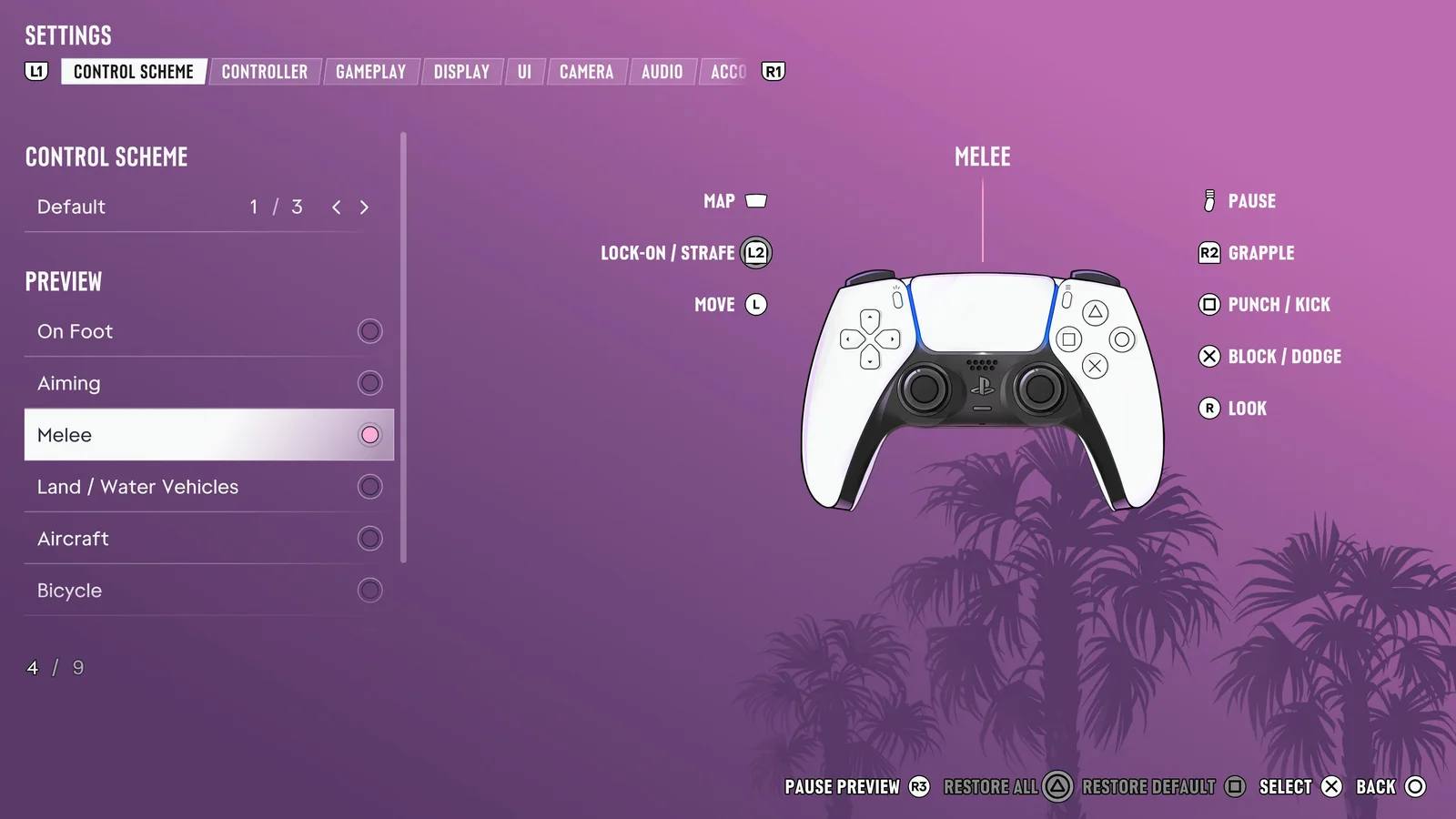
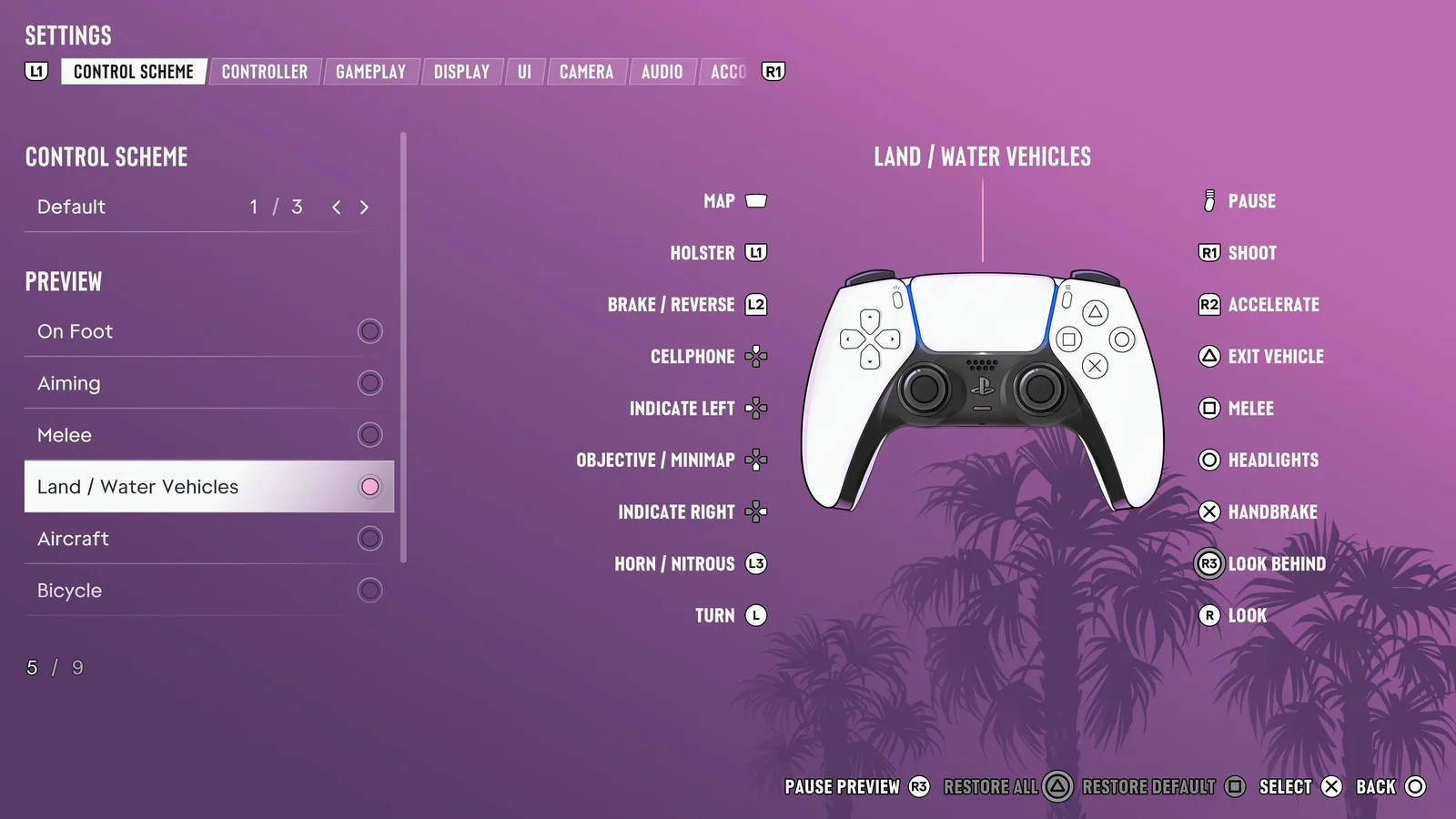
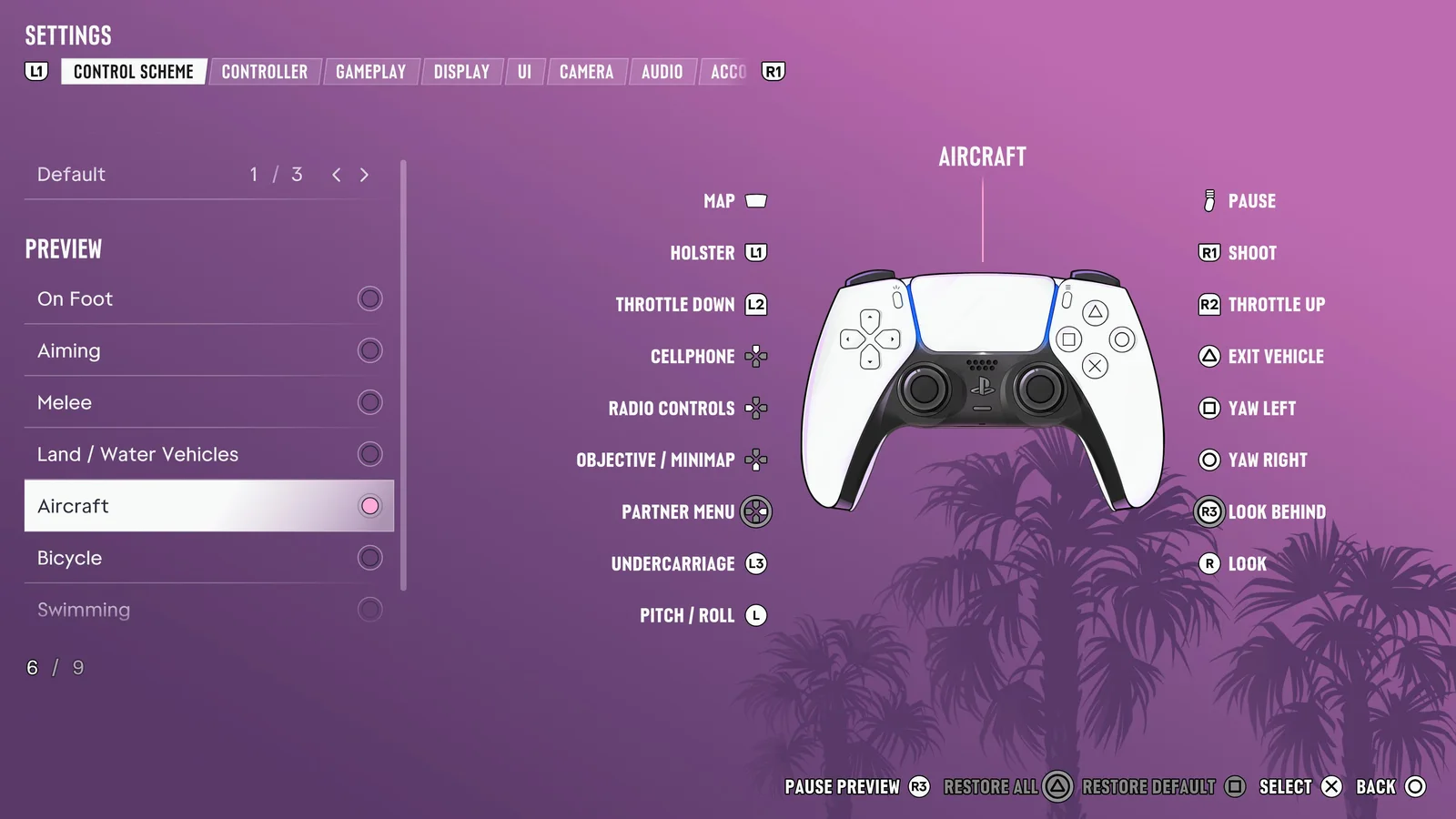
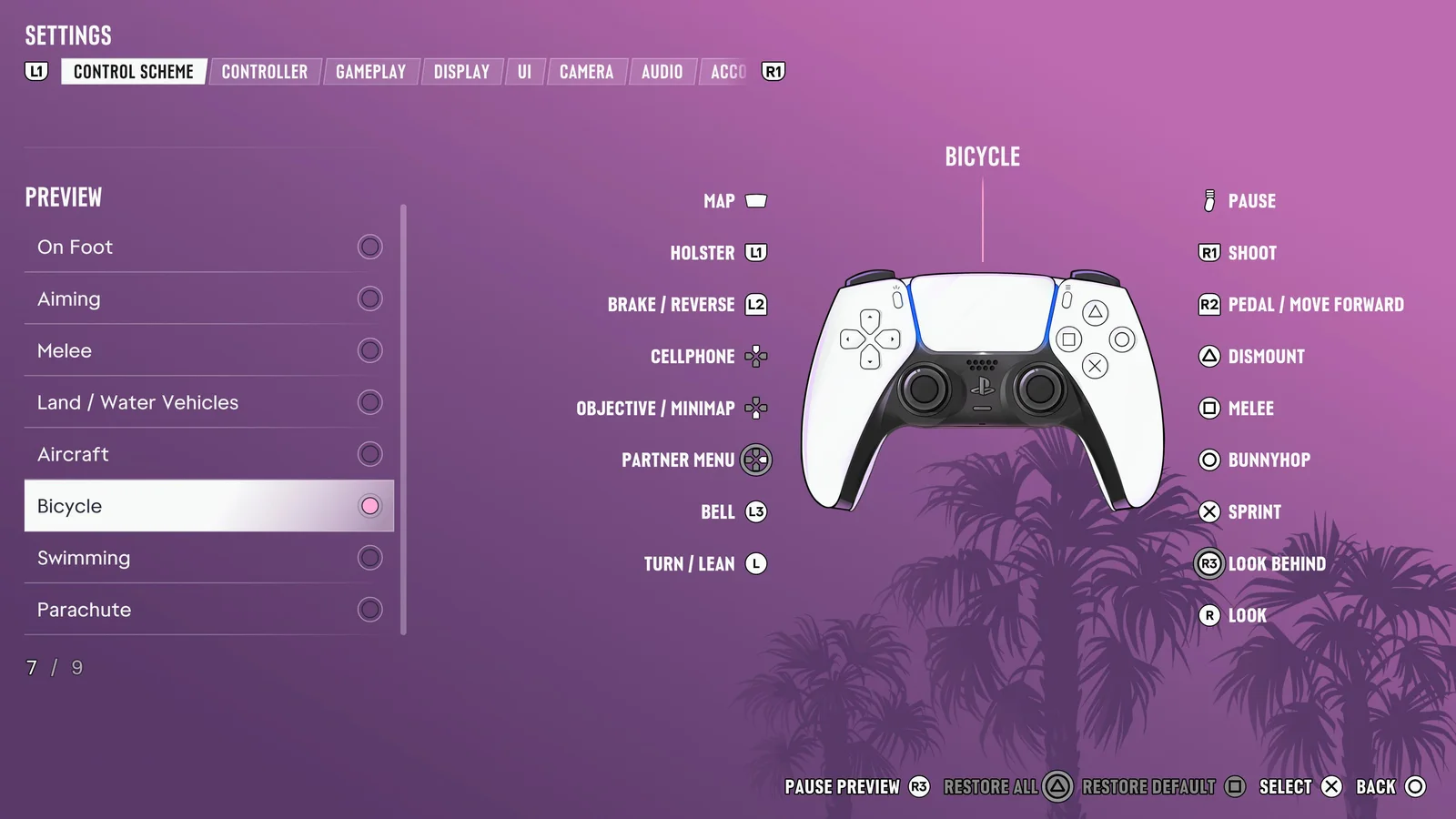
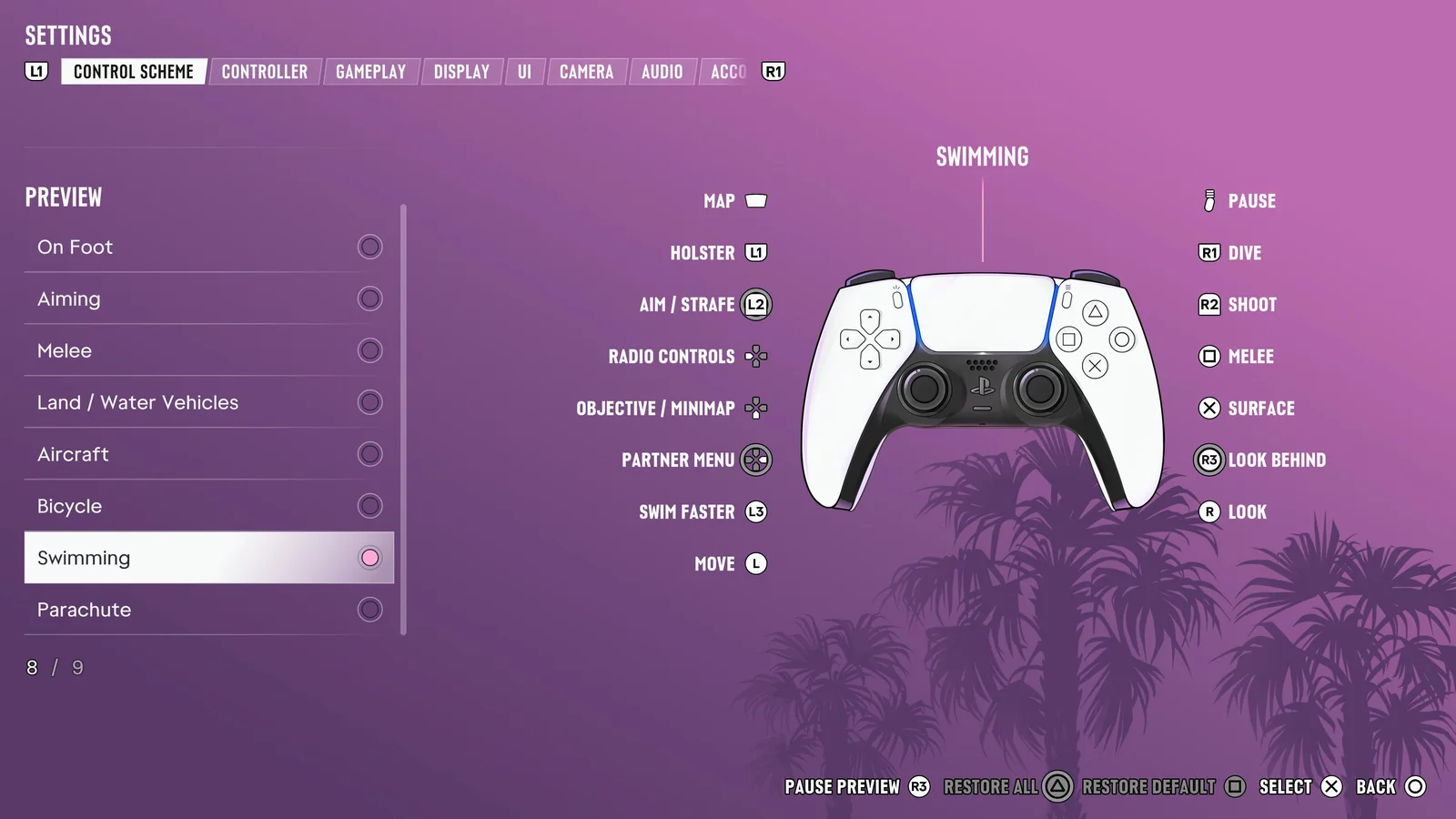
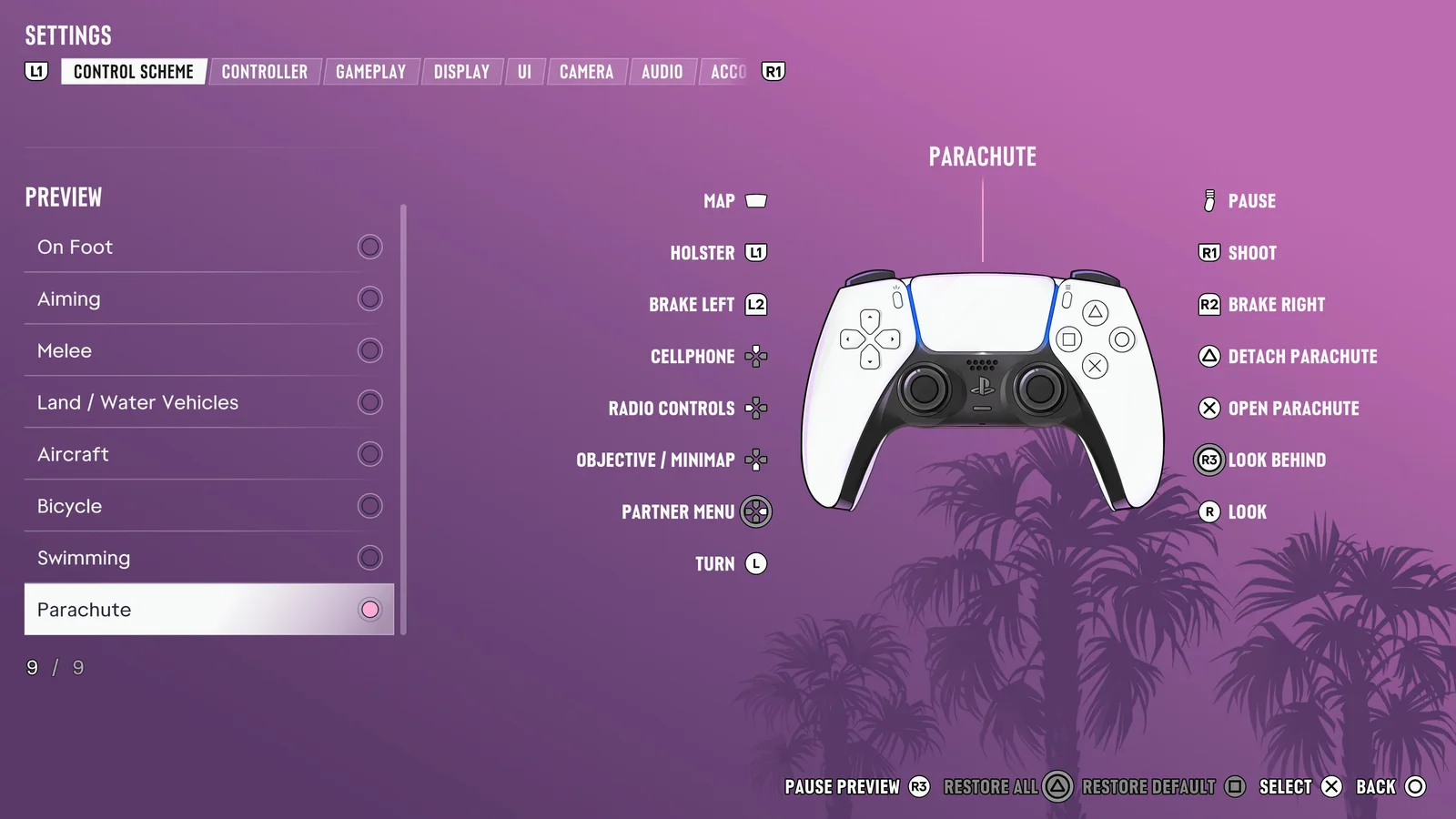
The game shows 9 control previews under Settings, Control Scheme. Here is every one of them on the Default scheme, read from our own PS5 Pro on launch night. Small details worth knowing: the D-pad works your turn signals in cars, L3 is horn and nitrous, ○ switches the headlights, and bikes get a dedicated bunnyhop.
The D-pad actions change with each mode; the screenshot shows the exact direction for each.
Aiming
L1
Loadout
L2
Aim / interact
D-pad
Zoom scope in
D-pad
Switch shoulder
D-pad
Zoom scope out
D-pad
Detonate explosives
L3
Run
Left stick
Move
R1
Quick throw
R2
Shoot
△
Quick swap weapon
□
Melee
○
Crouch
R3
Zoom / throw path
Right stick
Look
Melee
L2
Lock-on / strafe
Left stick
Move
R2
Grapple
□
Punch / kick
✕
Block / dodge
Right stick
Look
Cars, bikes and boats
L1
Holster
L2
Brake / reverse
D-pad
Cellphone
D-pad
Indicate left
D-pad
Objective / minimap
D-pad
Indicate right
L3
Horn / nitrous
Left stick
Turn
R1
Shoot
R2
Accelerate
△
Exit vehicle
□
Melee
○
Headlights
✕
Handbrake
R3
Look behind
Right stick
Look
Planes and helicopters
L1
Holster
L2
Throttle down
D-pad
Cellphone
D-pad
Radio controls
D-pad
Objective / minimap
D-pad
Partner menu
L3
Undercarriage
Left stick
Pitch / roll
R1
Shoot
R2
Throttle up
△
Exit vehicle
□
Yaw left
○
Yaw right
R3
Look behind
Right stick
Look
Bicycle
L1
Holster
L2
Brake / reverse
D-pad
Cellphone
D-pad
Objective / minimap
D-pad
Partner menu
L3
Bell
Left stick
Turn / lean
R1
Shoot
R2
Pedal / move forward
△
Dismount
□
Melee
○
Bunnyhop
✕
Sprint
R3
Look behind
Right stick
Look
Swimming
L1
Holster
L2
Aim / strafe
D-pad
Radio controls
D-pad
Objective / minimap
D-pad
Partner menu
L3
Swim faster
Left stick
Move
R1
Dive
R2
Shoot
□
Melee
✕
Surface
R3
Look behind
Right stick
Look
Parachute
L1
Holster
L2
Brake left
D-pad
Cellphone
D-pad
Radio controls
D-pad
Objective / minimap
D-pad
Partner menu
Left stick
Turn
R1
Shoot
R2
Brake right
△
Detach parachute
✕
Open parachute
R3
Look behind
Right stick
Look
Our screenshots · 7
More of our screenshots ›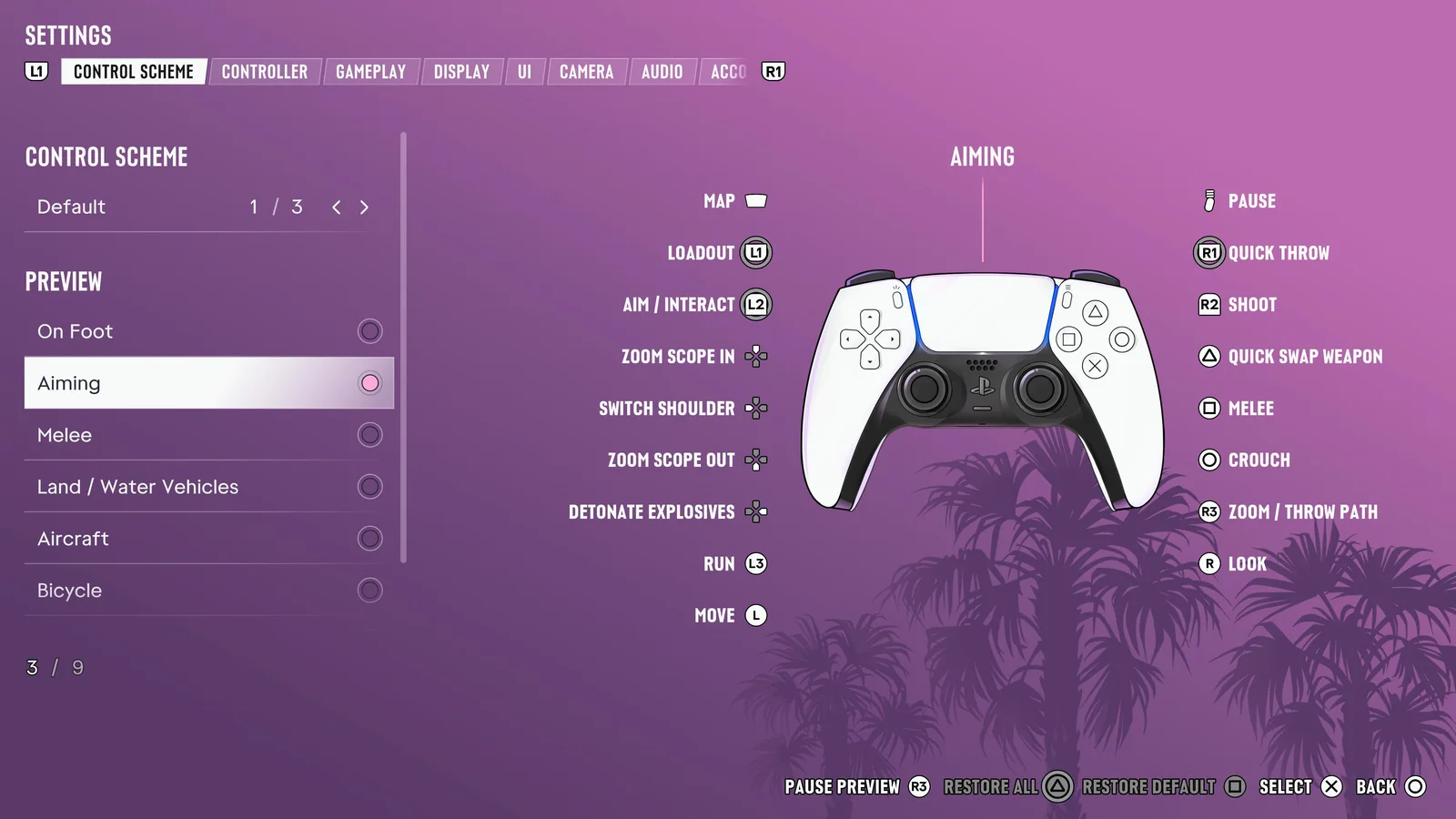
Captured by Consolyte on PS5 Pro.
Related
- EEvery missionGTA 6 has 93 main story missions across 5 chapters, going by the game's own story recap tab, plus a few optional and missable side jobs. The story takes about 50 hours, and there is no mission replay, so keep a manual save at the start of each chapter.
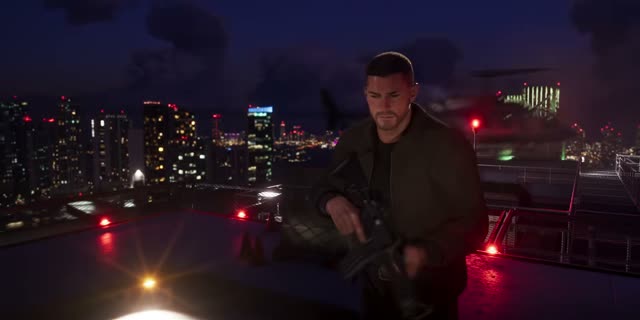 FocusA slow-motion aiming and awareness mode, likened to Red Dead's Dead Eye and Eagle Eye. It highlights weak points, nearby police and clues.
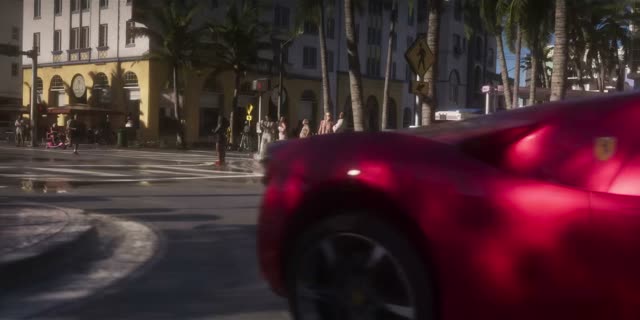 Stealing carsThe old one-button hotwire is gone. Some cars stay locked until you have a key cloner or a slim jim, though carjacking always works.
More about Controls
Players ask
How do you switch characters in GTA 6?
Hold Right on the D-pad, from the Chapter 2 mission Coffee Break onwards.
How do you open the map in GTA 6?
Press the touchpad on PS5.
How do you change the controls in GTA 6?
Settings, then Control Scheme: there are 3 schemes and 9 layout previews.
How do you take cover in GTA 6?
Press R1 near a wall or object.
How do you look behind you while driving?
Click R3.
Can you play GTA 6 with a keyboard and mouse?
No. GTA 6 is out on PS5 and Xbox Series X|S only, played with a controller.
The basics
What are the GTA 6 controls?
On PS5, GTA 6 uses R2 to shoot, L2 to aim, R1 for cover, ✕ to jump and climb, □ for melee, ○ to crouch and △ to interact. Click L3 to run, R3 to look behind, and press the touchpad for the map.
Related
What else is connected to Controls in GTA 6?
Every mission, Focus and Stealing cars. Each has its own page on this wiki.